How to set default delivery option for eParcel
Last updated: April 29th, 2024
In this article:
Set default delivery option for eParcel
This setting will overwrite an existing parcel delivery option for eParcel.
Step 1:
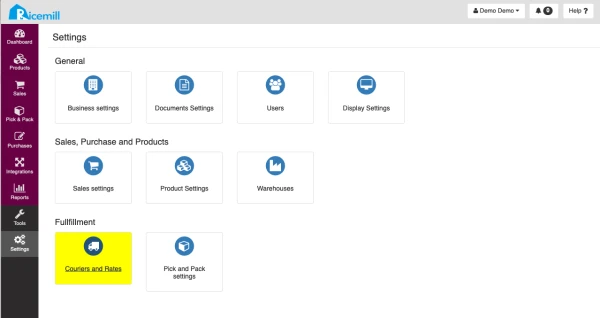
Go to Settings > Couriers and Rates
Step 2:
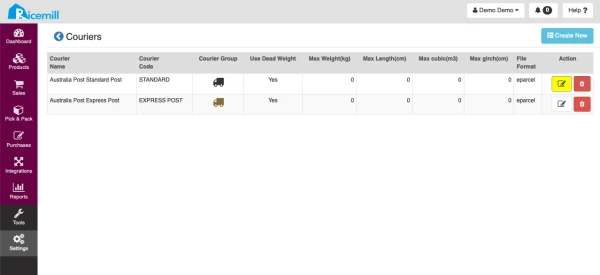
Click on the "Edit" button of your eParcel Couriers.
Step 3:
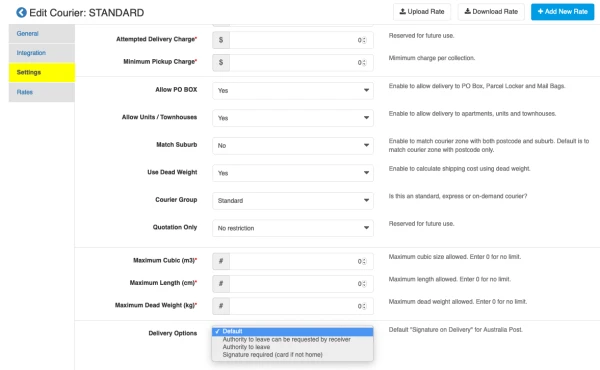
Go to "Setting", then select the drop-down selection of delivery option