How to update courier's rate via CSV
Last updated: April 29th, 2024
In this article:
How to update courier's rate via CSV
Step 1:
Download Courier Rate File
- Go to Settings > Couriers and Rates
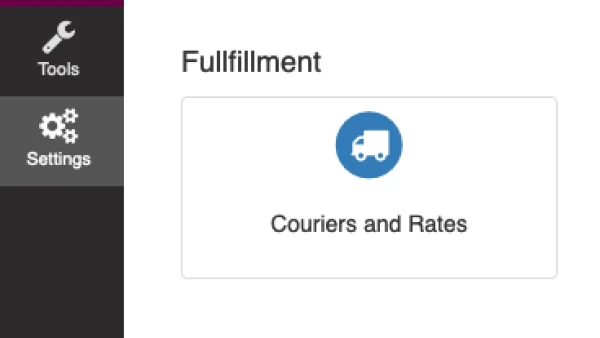
- Select "Edit" icon next to the courier you would like to update

- Click on "Rates" tab on the left menu
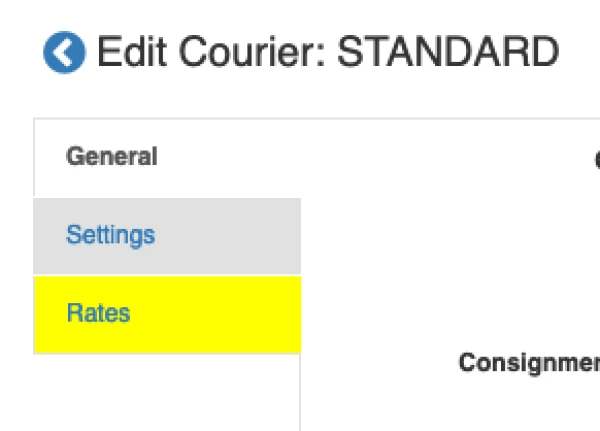
- Click "Download Rate"

- Save and Open the csv file
Step 2:
Edit Courier Rate File
- Edit the csv file you download in Step 1 with new rate or dates. Please note that all value are excluding GST.
You can edit fields below:
RATE_PER_PARCEL = per parcel rate
RATE_PER_KG = per kg rate (0 if not available)
RATE_START = the date this rate valid from, in YYYY-MM-DD format, for example 2018-08-01
RATE_END = the date this rate valid until, in YYYY-MM-DD format, for example 2019-09-01
Step 3:
Upload edited Courier Rate File
- Click "Upload Rate"

- Select the file you have edited with new rate
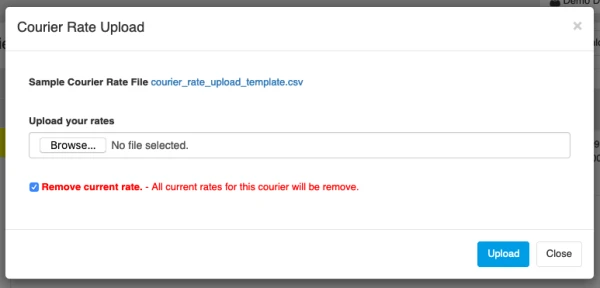
- Leave the "Remove current rate" checked to override all rates.
- Click "Next"