How to add/update product reorder quantity options using import
Last updated: April 22nd, 2024
In this article:
How to add/update product reorder quantity options using import
Step 1:
- Go to Products > Search Products.
Step 2:
- From "Import" menu, click on "Products".
Step 3:
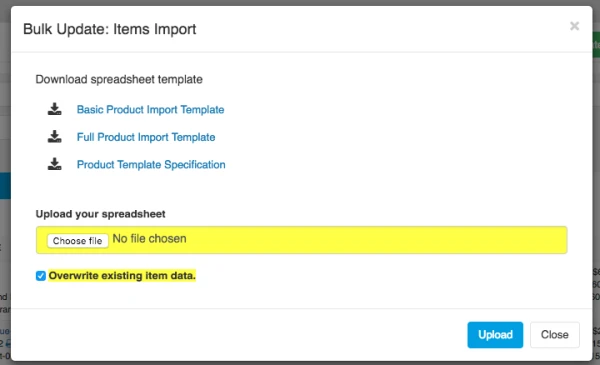
- Choose your import file to upload.
- Tick on "Overwrite existing Item data".** (Note: This will overwrite existing item value)**
- Click "Upload" button to import the file.
Fields require: (Case sensitive)
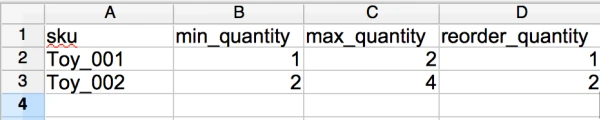
- sku
- min_quantity
- max_quantity
- reorder_quantity
**Note: **
- All fields header are in lower case.
- Do not leave any column empty, all column require value, else it will cause error.