How to mark order as processing
Last updated: April 22nd, 2024
In this article:
How to mark order as processing
To mark the order as processing, you do so by generate an invoice for the order.
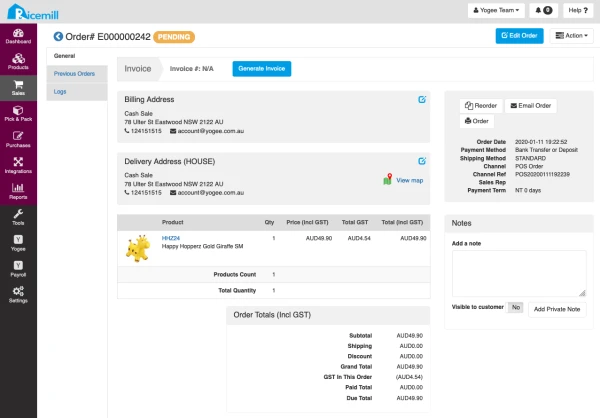
- Go to the order's view page.
- Click "Generate Invoice".
- Click "Confirm".
- The status of the oder will be changed to Processing