How to Display the "Out of stock" warning on the "Create Shipment" screen?
Last updated: April 17th, 2024
How to Display the "Out of stock" warning on the "Create Shipment" screen?
Step 1:
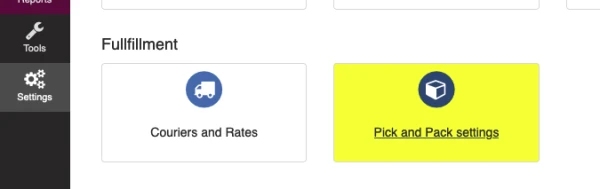
- Go to Settings > Pick and Pack settings
Step 2:
- Browse to the "Shipment Settings" section.
- Enable "Display "Out of stock" warning on "Create Shipment" screen".
- Click on "Save".

How it works
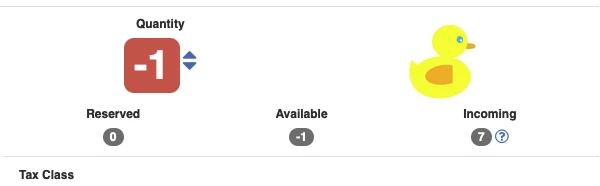
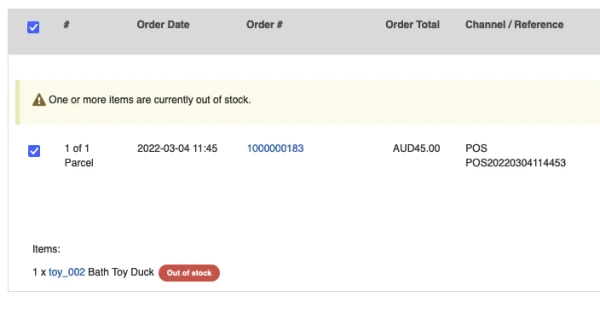
Only display if item inventory quantity is less than 0 (Negative value).
If any item quantity in a parcel is less than 0 (Negative value), the system will display an "Out of stock" warning for this parcel in the bulk "Create Shipments" screen.