How to create a pick list?
Last updated: April 19th, 2024
In this article:
How to create a pick list (Video)
How to create a pick list?
Step 1:
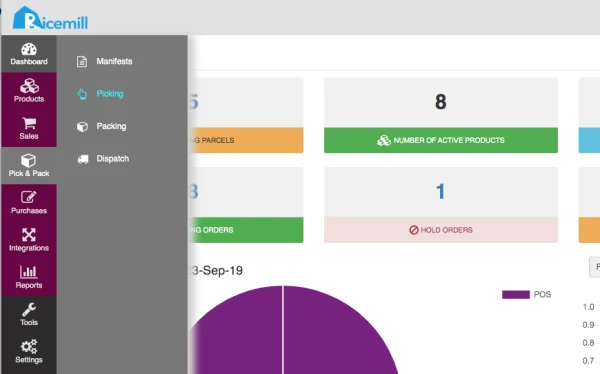
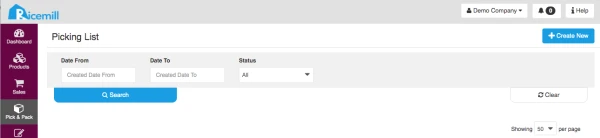
- Go to Pick & Pack > Picking, then click Create New button on the top right window.
Step 2:
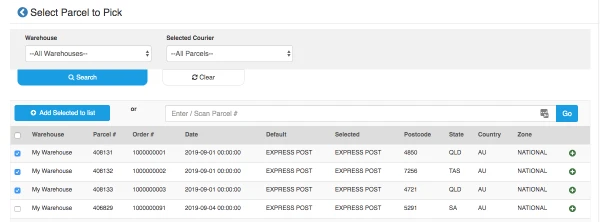
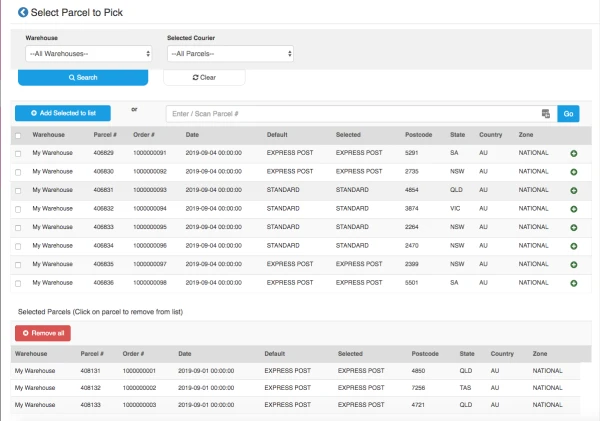
- You can click on the "+" button of parcel to select it or scan the barcode of the parcel from the Packing Slip. The parcel will then appear on the Selected Parcels list.
Step 3:
- Click on "Create Pick List" to create your picklist.

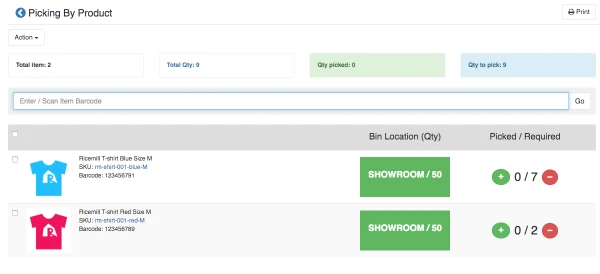
- Picking Screen appears and all products to be picked are listed with the location and quantity.
Step 4:
- Start picking the products from their location. Click the + button when a product has been picked.
- The product will be removed from the Picking Screen.
- Repeat step 4 until all products have been picked and no more product is shown in the Picking Screen.