How to split order into multiple parcels
Last updated: April 23rd, 2024
In this article:
How to split order into multiple parcels
Step 1:
You need to manifest the order.
Step 2: Go to Order details page
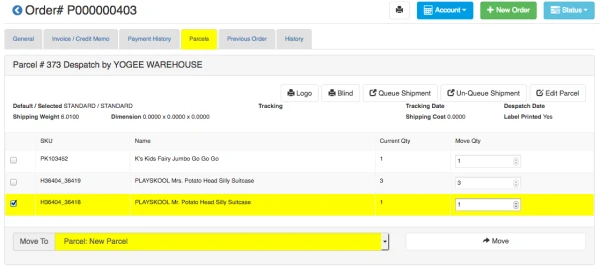
- Go to the order detail page, then click on "Parcel" tab.
- Select the item(s) you want to split to new parcels.
- Select "Parcel: New Parcel" and click on "Move" button to generate a new parcel.
Step 3: Print New Packing Slip
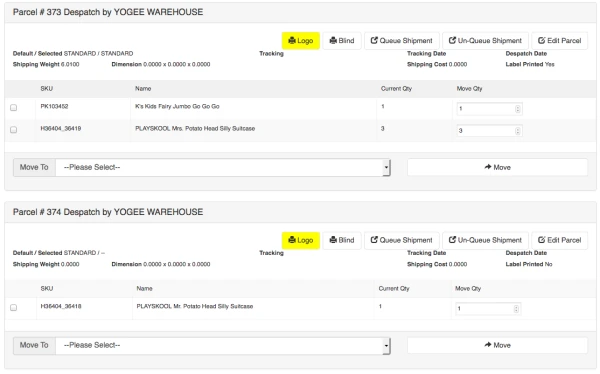
- Print out new packing slip for all Parcels by click on "Logo" button
- Do not use the old packing slip you print out before.