How to save CSV format file using Microsoft Excel
Last updated: April 29th, 2024
In this article:
Create and save CSV format using Microsoft Excel
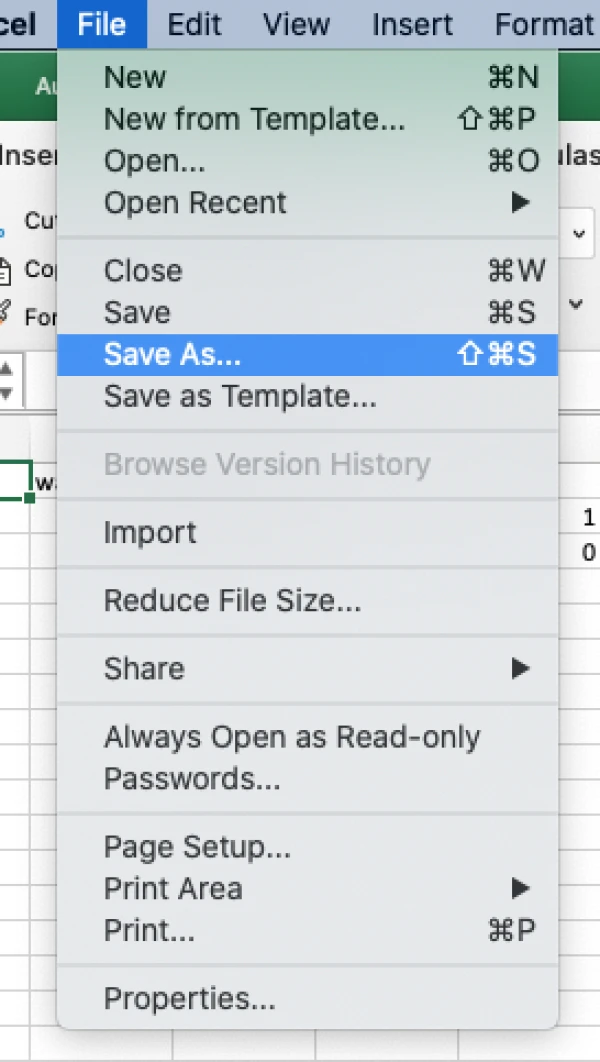
- Go to File > Save As
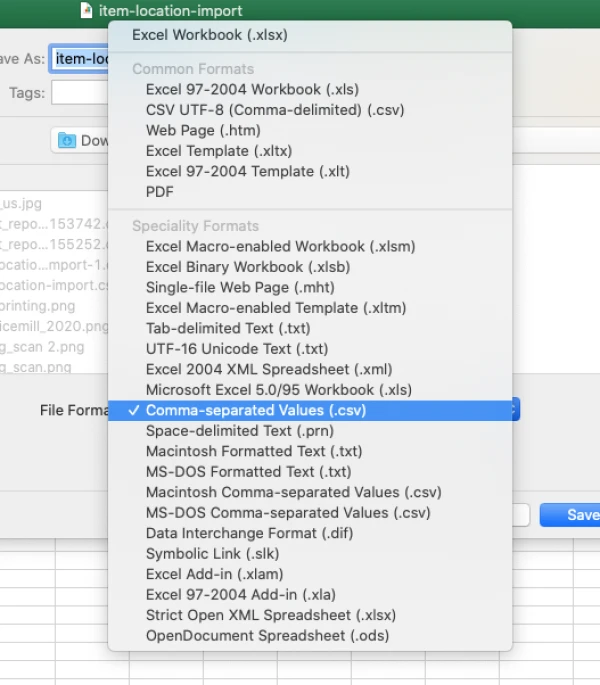
- Select "Comma Seperate Value (.csv)" , do not select other CSV format as this may cause the file not able to be read by Ricemill.
- Save the file.