Ricemill Group Pty Ltd
Warehouse App - Help Center (Deprecated)
  1. Warehouse App
  2. Integrations
  3. eBay
  4. How to refresh eBay token

In this article:

  1. How to refresh eBay token

Related articles/videos:

  • Connect to eBay Australia
  • How to enable ebay listing upload and sync options.
  • How to search items listed to eBay
  • How to list a product to eBay
  • How to manually import eBay orders
  • How to bulk revise eBay listings quantity & price
  • How to configure price surcharge for eBay listings
  • How to add/edit eBay description template
  • How to import Business Policy from eBay
  • How to opt-in eBay Business Policy and Import into Ricemill.
  • How to get eBay item id
  • How to manually import a product from eBay
  • How do I create and import eBay Store Category into Ricemill
How to refresh eBay token

Last updated: April 26th, 2024

In this article:

  1. How to refresh eBay token

How to refresh eBay token

Step 1:

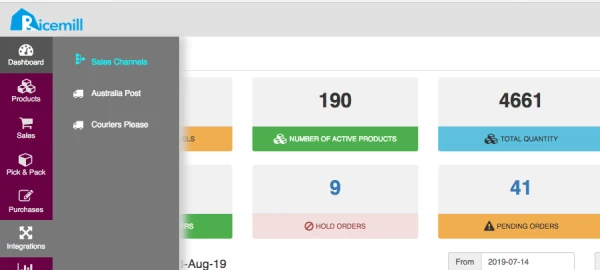
  • Go to Integration > Sale Channel

Step 2:

  • edit eBay channel

Step 3:

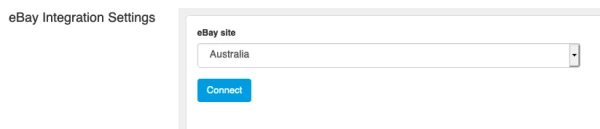
  • Browse to eBay Integration Settings and Click "Connect" button.
Step 4:

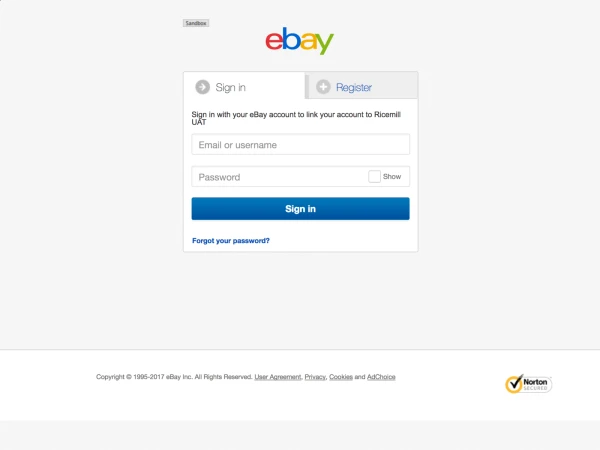
  • Sign in to your eBay Account.

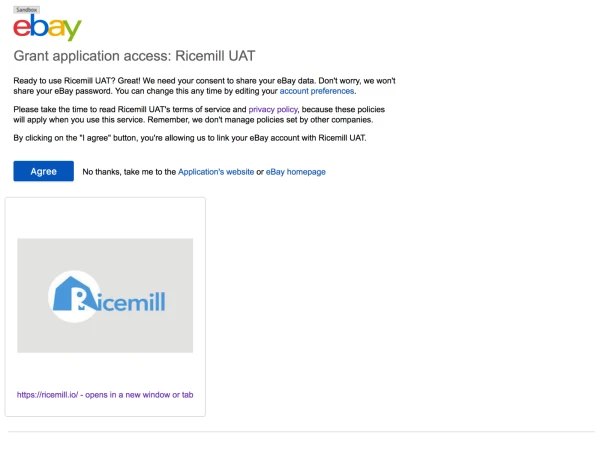
  • Grant Access to Ricemill

Click Agree to grant application access to Ricemill