How to manually download an order from Shopify
Last updated: October 22nd, 2024
How to manually download an order from Shopify
Steps:
- Go to Integrations > Sales Channels.
- Open the Shopify sales channel from which you want to download orders.

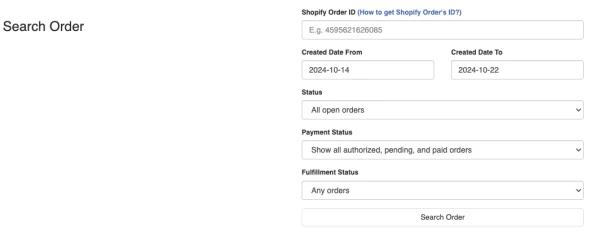
- Under the Search Order section, choose your filter options and search for an order.
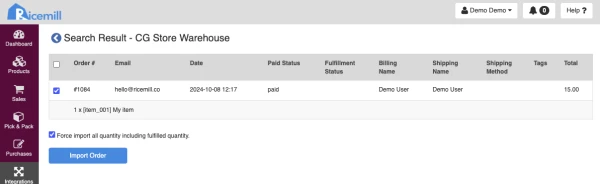
- In the search results, select the order you want to download and click Import Order.
If you want to download all items, including those already fulfilled, select the option Force import all quantities, including fulfilled quantities.
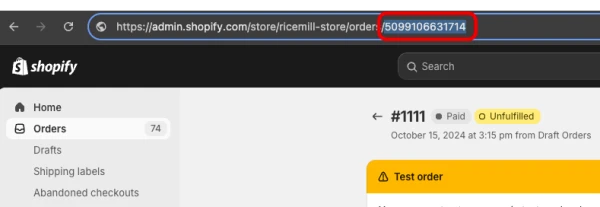
How to get Shopify Order ID
Steps:
- Log in to your Shopify admin.
- Go to orders.
- Open the order for which you want to find the Shopify Order ID.
- The Order ID can be found at the end of the URL on the order detail page in the Shopify admin.