Inviting and Managing Staff Members
Last updated: February 18th, 2026
In this article:
How to invite a staff member
Available on the Plus Unlimited plan only.
Only the account owner can invite a staff member.
You can only invite users who do not have an existing Ricemill | Fulfilment account or who are not already users of another Ricemill | Fulfilment account.
Steps:
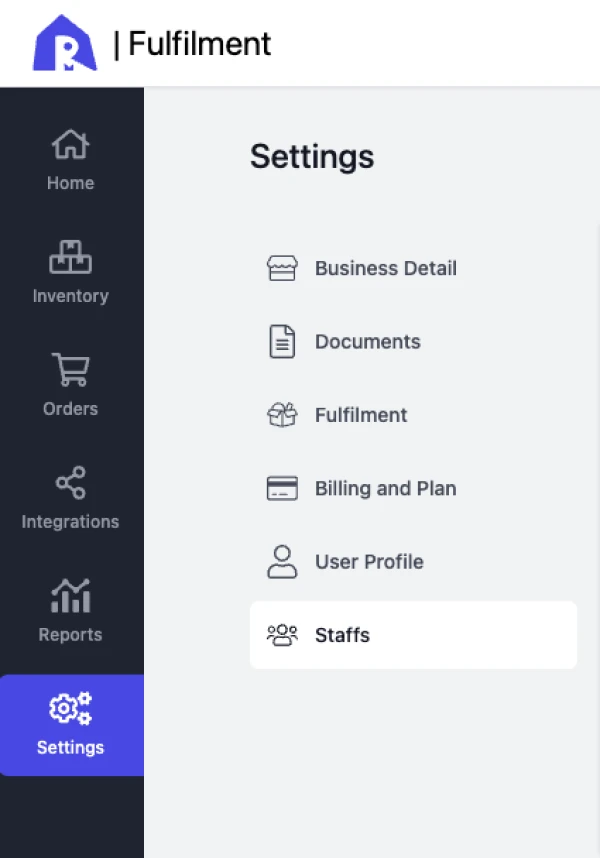
- Click Settings from the left menu.
- Go to the Staffs tab.
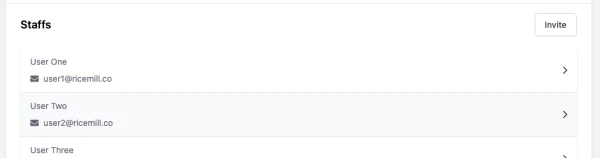
- Click the Invite button.

- Fill in the staff member’s name and email, then click Invite.
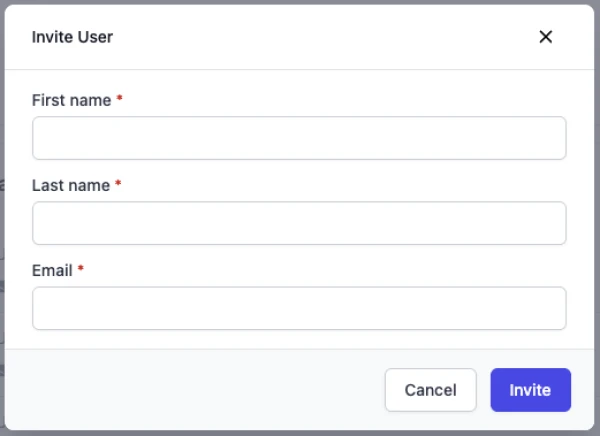
- An invitation email will be sent to the staff member to accept the invitation.
How to deactivate or remove a staff
Steps:
- Click Settings from the left menu.
- Go to the Staffs tab.
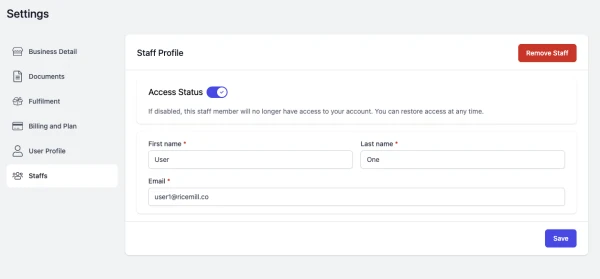
- Select the staff you want to deactivate or remove.
- To deactivate the staff, set the Access Status to Off. and then click Save
- To remove the staff, click on Remove Staff button.