Product Customs Information
By Ricemill · Last updated: March 24th, 2026
In this article:
How to add HS code or Country of origin to a product
Product data updates in Ricemill will not be reflected in Shopify.
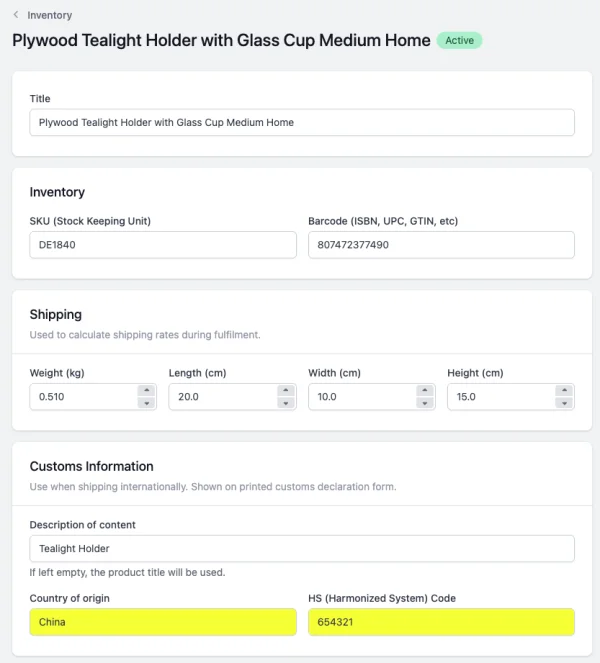
Use this when shipping internationally. It will be shown on printed customs forms.
Steps:
-
Go to Inventory
-
Open the product to which you want to add HS Code/Country of Origin.
-
Under Customs Information, select Country of origin and enter your HS Code
-
Click Save
How to add a description of content to a product
Product data updates in Ricemill will not be reflected in Shopify.
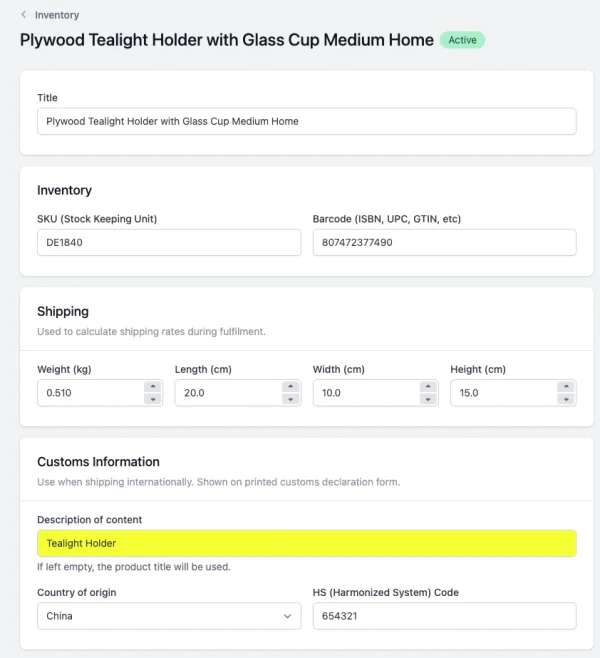
Use this when shipping internationally. It will be shown on printed customs forms. If left empty, the product title will be used.
Steps:
-
Go to Inventory
-
Open the product to which you want to add a Description of content to.
-
Under Customs Information, enter the Description of content.
-
Click Save